
Every dish, camera-ready
Big, bright photos turn your digital food menu into your best salesperson — every dish looks as good as it tastes.
A menu that always looks its best
Bright photos, real-time updates, and a bilingual tap of a button. iPad Menu is a visual add-on for restaurants already on Online Ordering or the Branded App.
Why it's Different
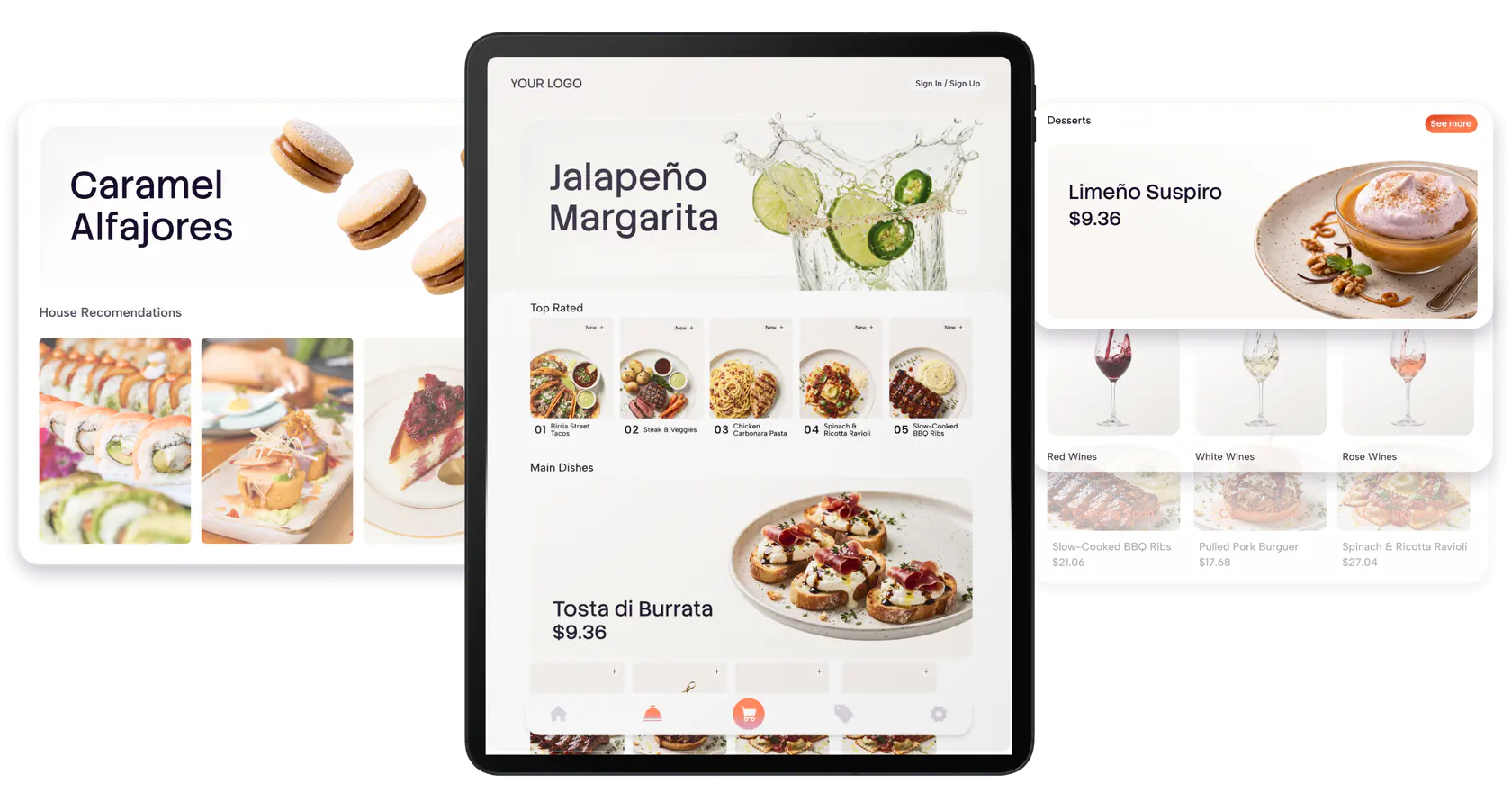
It's all about the visuals, and never being out of date
Big, bright photos turn your digital food menu into your best salesperson — every dish looks as good as it tastes.

Your colors, logo and style shape the whole digital menu design — no generic templates.
Change a photo, price or description once and your digital menu system updates every iPad in seconds.
A contactless digital menu with no app to download: customers browse right at the table, without pulling out their own device or scanning anything.

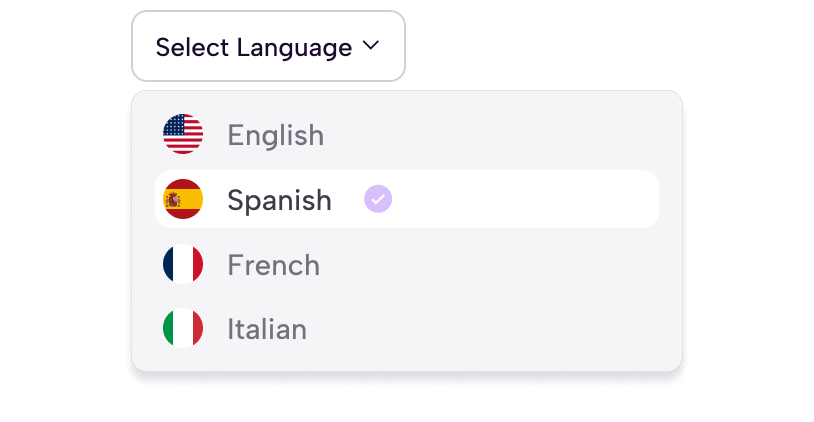
Set up your menu in more than one language to serve a diverse crowd, no separate device needed.
We help you source the right iPads and get everything running, in English and Spanish.
Guests wait for someone free to bring a paper menu.
A price change means reprinting menus.
No idea which dishes actually get looked at.
Guests browse real photos the moment they sit down.
Change a price once, every table updates instantly.
See what gets tapped most and adjust with confidence.
iPad Menu is visual only. Your team still takes orders exactly the way they do today.
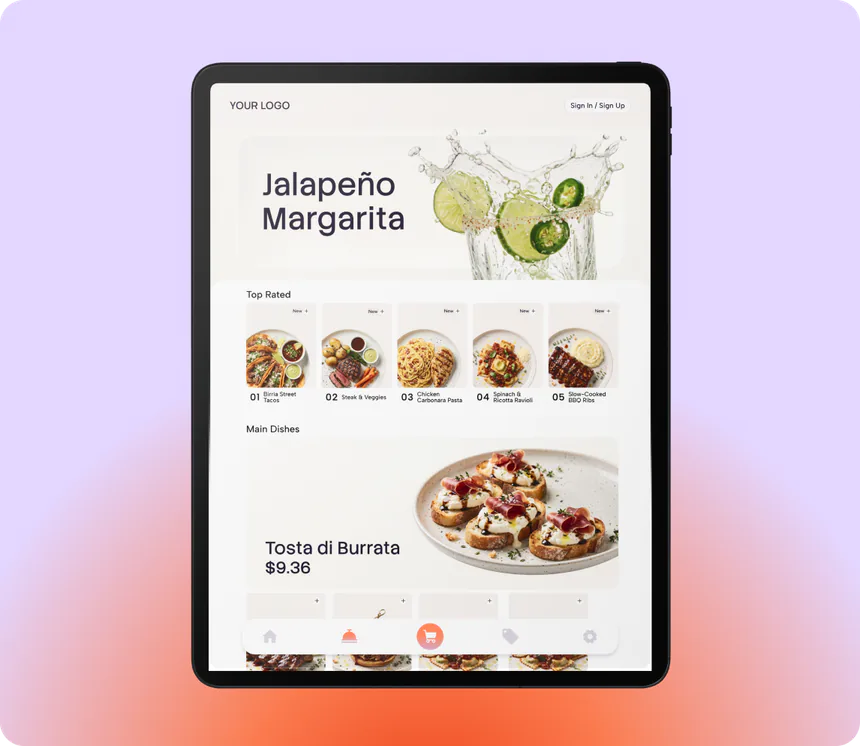
Your menu syncs automatically from Online Ordering or Branded App. Nothing to set up twice.
Mount the iPad at the table or counter. Any standard iPad mount, no proprietary hardware.
Customers browse, your team takes the order — now with a menu that looks its best.
A price change, a sold-out dish, a new special: on paper, that means reprinting. A digital menu system turns the same change into one edit that shows up on every screen in seconds. That is the practical difference between printed menus and digital menu solutions: one costs you a print run every time, the other costs you nothing after the first setup. A printed menu is out of date the moment a price changes. A blurry photocopy doesn't sell your best dish. A real photo does.
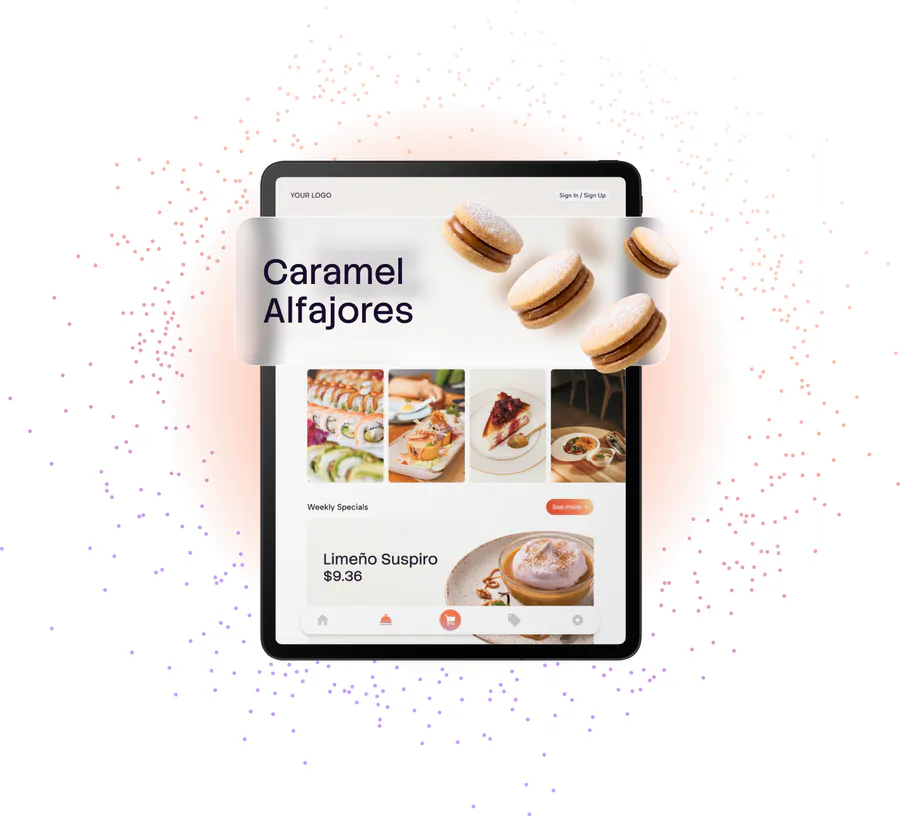

It's a digital menu on an iPad that lets customers view and explore your menu with large photos and clear descriptions, without needing their own device.
Intuitive navigation with large photos and clear descriptions. It's ideal for customers who'd rather not pull out their phone or scan a code.
Yes. iPad Menu is a visual add-on that uses the same menu as your Online Ordering site or Branded App. It isn't sold on its own.
Yes. Customize it with your logo, colors, and style, and highlight star products to catch your customers' attention.
Very easy. Update photos, prices, and descriptions in real time from the Eatsy Orders dashboard. Changes show up instantly on every iPad.
Yes, for real-time updates, though it still shows the last synced menu if the connection drops for a moment.
Yes. The menu can be configured in multiple languages, including bilingual EN/ES, to serve a diverse customer base.
It's on our roadmap: showing which dishes get the most views on-screen, to help you fine-tune your menu and promotions.
A digital menu is your menu on a screen instead of on paper, pulling from a catalog you edit in one place. iPad Menu puts that screen on the table: it syncs the same catalog as your ordering site, shows a photo and description for every dish, and updates on every iPad the moment you change something. Your team keeps taking the orders.
Everything you want to know about the iPad Menu.
Go to learn & helpEatsy runs the rest of your restaurant from one place, in your language.
The base plan iPad Menu adds its screens on top of.
Or add it on top of your app. Same menu, same brand, everywhere.

Keeps your descriptions and photos sharp across every screen.